Magnetic Storage:
This is a hard drive that uses physical disks to store data on. It is very common on computers and data centers. They are high-capacity and relatively cheap, but are lower in performance compared to the more modern solid state drives. It is a good storage option for a good compromise between capacity, speed, and cost.

The hard drive works by having a platter that is spun around at thousands of rpm by the center spindle. An arm with a special head is placed over the surface of the platter as it spins and can move back and forth to reach all areas of it. To read and write data the small magnetic head is pointed at the disc. The section then becomes magnatized, representing a 1 or left demagnatized, representing a 0. There is usually 2 arms per disc, one for the top and one for the bottom.
Sections on the platter are arranged in very neat patterns. Bits of data are arranged in circular paths called tracks and each track is then broken up into sectors. A part of the hard drive remembers which sectors are free and which are storing data. When the computer stores new information, it looks at the map and instructs the read-write head to move across the platter to the exact location and store the data there. To read information this process runs in reverse.
Flash Storage:
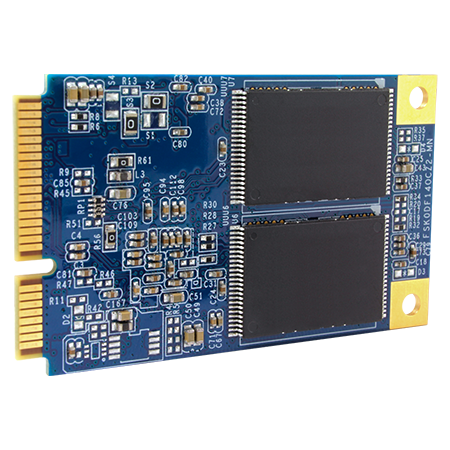
These Solid State flash storage devices are becoming increasingly popular. They use flash memory to store data instead of physical spinning disks. This means they have much higher performance compared to a hard drive at the cost of price and capacity. This flash memory is similar to that in RAM but can save their data once the power source is disconnected. This is because they use a special transistor with a second gate which lets the transistor hold the electrical charge even when there is no power source so they can save their on or off state after a reboot. Refer to RAM and ROM to see how it works.
Optical Storage:

These are more commonly known as DVD’s. They work by using a laser to burn microscopic “pits” into the reflective surface of the disc. This creates Pits and Lands on the surface, representing binary 1 and 0. To read this, the optical drive reader points a laser at the surface and lets the motor spin the disc round. It then reads the binary because the lands reflect the laser straight back at the sensor and the pits scatter the laser around. This is how data is read from a dvd.
 Computer Science Notes