Compression:
Compression is a process of which a computer reduces the size of a file while retaining most/all of the original information. You can compress many types of files including music and video files. This means it takes up less storage space and makes uploads and downloads faster.
Streaming services such as spotify or youtube compress the content that they provide to reduce the amount of bandwidth required to transfer the file. This makes the service faster but sometimes reduces the quality.
Summary: Purpose of compression is to Reduce download times, reduce storage requirements and to make the best use of bandwidth.
Lossy Compression:
This type of compression permanently discards bits of information in the file to greatly reduce the file size. However, this is irreversible so the quality of the content is also reduced. Most of the data removed is mostly inaudiable/unseeable data to the overall affect on the quality isnt noticed too much. The original file can not be restored.
It works by using an alogrithm to process the file and identify patterns and decides what it can discard without affecting the quality too much.
Summary: Actual data is removed from the file to reduce its size.
Examples of Lossy Compression:
JPEG (Image):
The JPEG format uses an alogrithm to remove details that will not be seen by the human eye. It also reduces the quality of the background image since the main focus is usually the foreground. This helps reduce the file size whilst not affecting the main focus of the image.
MP3 (Sound):
This format uses multiple techniques such as removing inaudible frequencies and removing sounds that would be drowned out by other louder noises. The bitrate is the number of bits per second that are encoded by the MP3.
Lossless Compression:
This is a compression technique that reduces the file size but without reducing the quality. It does this by looking at the repeating patterns in a file and saves it one time but says how many times it needs to be repeated and where. This technique can not reduce the file size as much as lossy can.
Summary: Actual data is still removed but this data is encoded in a way that the file size reduces but more importantly, the original file can be recreated easily.
Lossless compression methods include: Run Length Encoding and Dictionary Based Methods.
Examples of lossless compression:
Run Length Encoding:
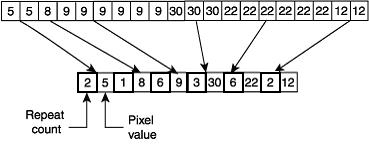
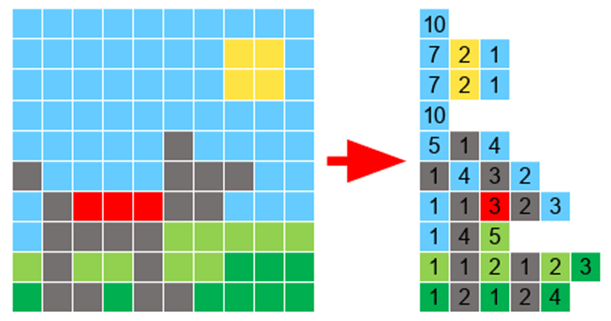
This is where the algorithm sees that there are multiple bits being repeated consecutively and records the colour and how many times it is repeated. E.g: If an image had 3 red pixels next to each other, rather than storing each pixel individually, it would store the pixel colour and the amount of times it is repeated.
However if a file contained little to no repetitions then it would increase the file size as a single pixel would be stored as its colour and then the information that it is repeated only once.
Dictionary Encoding:
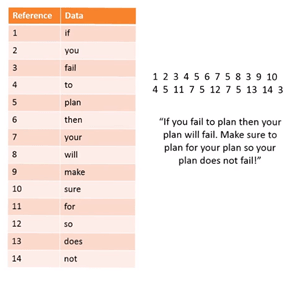
This is where it takes words that are used and assigns a reference number to the word/phrase instead of storing the bit pattern word for word. It then creates a separate file called the dictionary where the reference number and word is stored. You can then use the reference numbers to write out the text which will overall take up less space.
Lossy vs Lossless:
The main difference is that lossy loses some of the original quality whilst lossless retains all of the inital quality. Also, lossy usually creates a smaller file in the end as information is discarded completely.
Encryption:
The process of encoding a message so that it can be read only by the sender and the intended recipient.
Example of simple encryption:
Caesar Cipher:
When you shift along a number of places. This number is called the key.
Example: you shift the alphabet by 5 places.

2 major types of encryption: Symmetric and Asymmetric.
Symmetric Encryption:
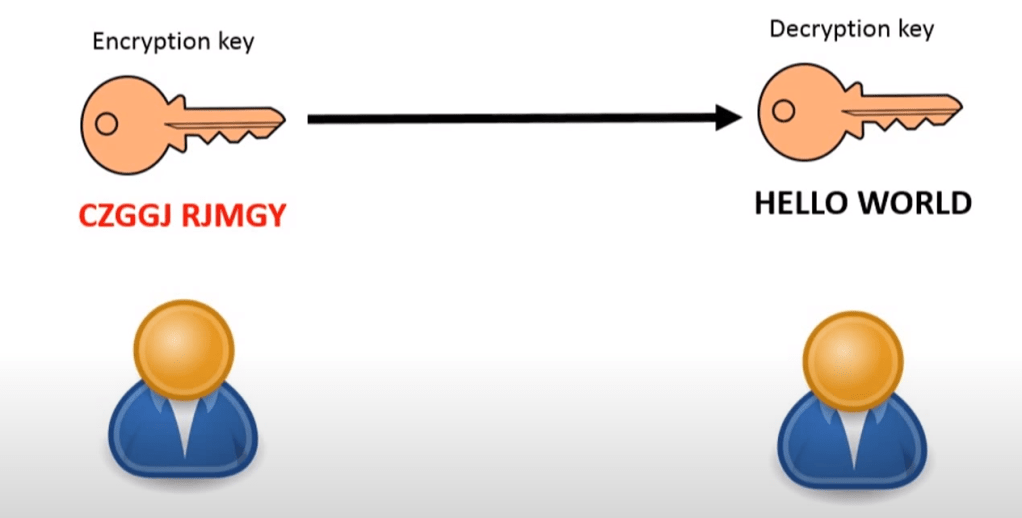
In this method, the same key is used to encrypt and decrypt the message. Both the sender and recipient need to know the key. The same key can be used many times or different key every time to make it harder to crack.
Symmetric encryption is much less secure than asymmetric so this is usually not used for important information such as payment details.
Asymmetric Encryption:
This is a more secure encryption than symmetric as it uses a different key for the sender and recipient so you have 2 totally different keys.
The message is first encrypted by the first key. At the end, the message is decrypted by a different key. It is impossible to work out one key from the other. The 2 keys are generated in a way that the message encrypted by one key can be decrypted by the other. Together, these 2 keys form “key pairs”.
To make asymmetric encryption to work we have to pick one of the keys to be a public key which can be stored anywhere such as published online. They are usually stored on servers called key servers. The other becomes the private key. This should not be shared with anyone else.
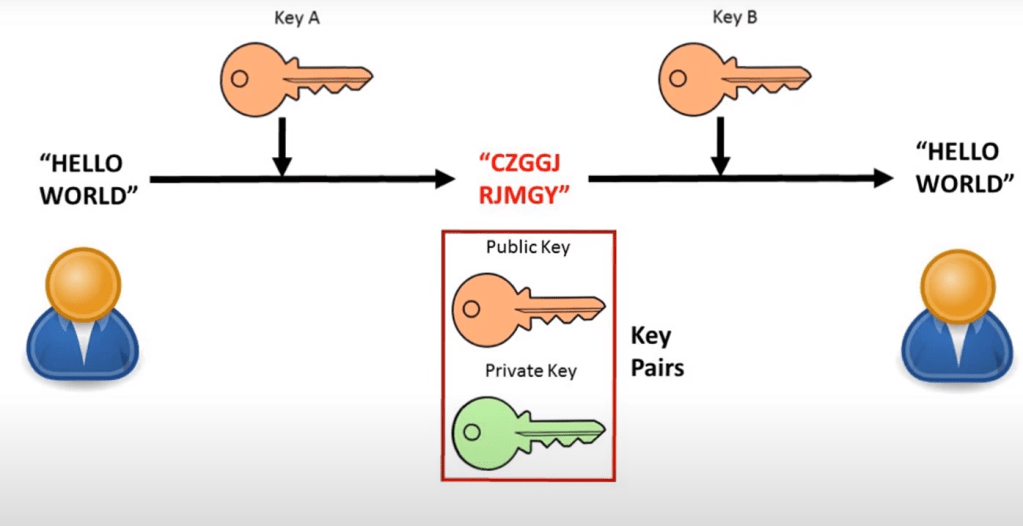
How it works:
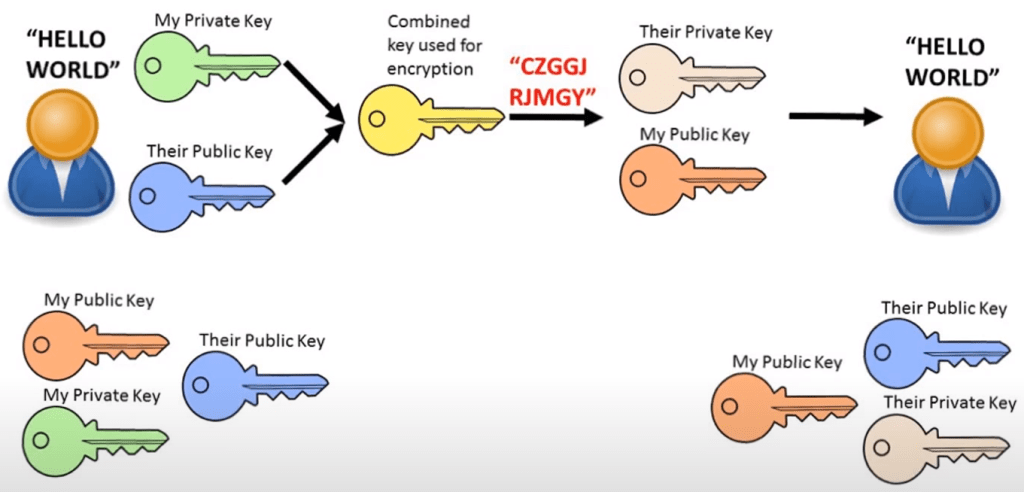
Firstly, we start with 2 people who want to securely communicate, both with their own key pairs.
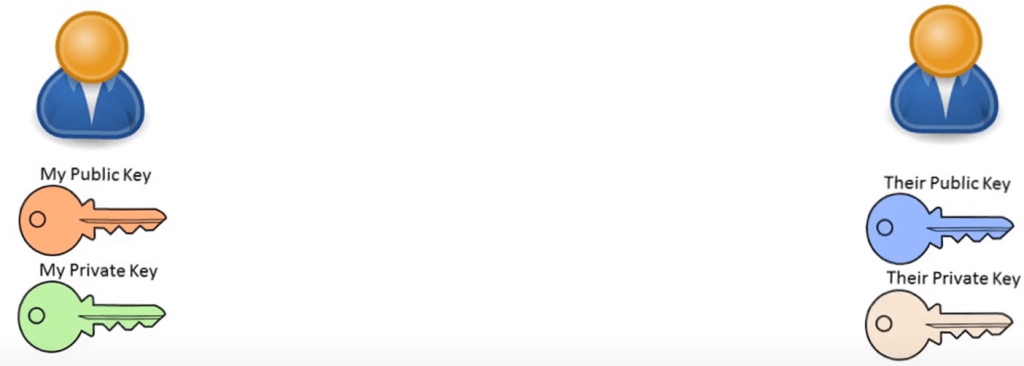
They then exchange copies of their public keys with each other.
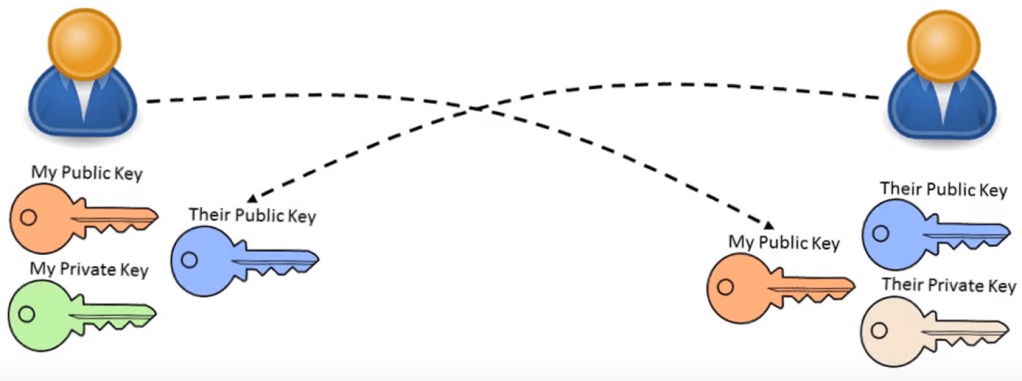
They then send each other messages encrypted with the others’ public key. You send a message encrypting it with the other persons public key and they can decrypt it with their private key.
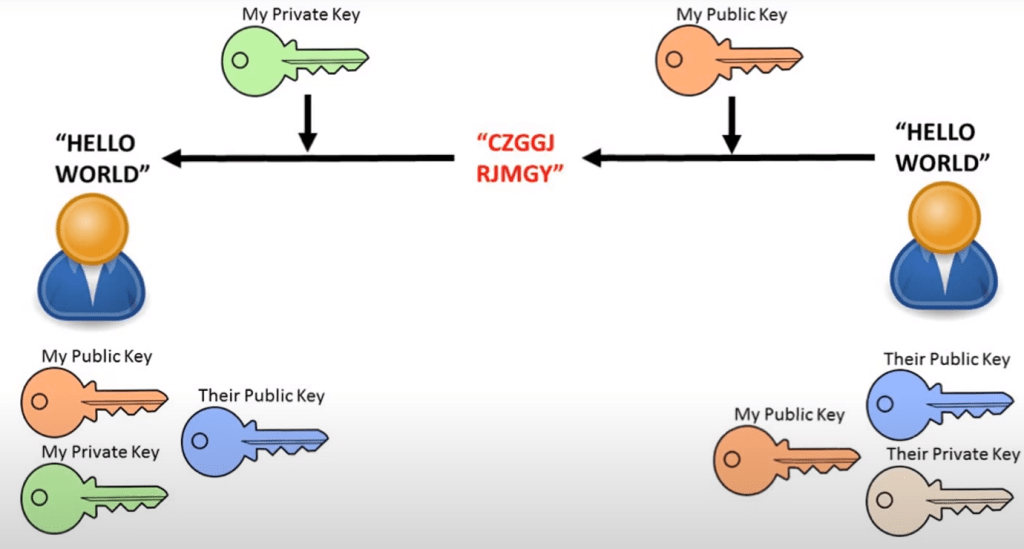
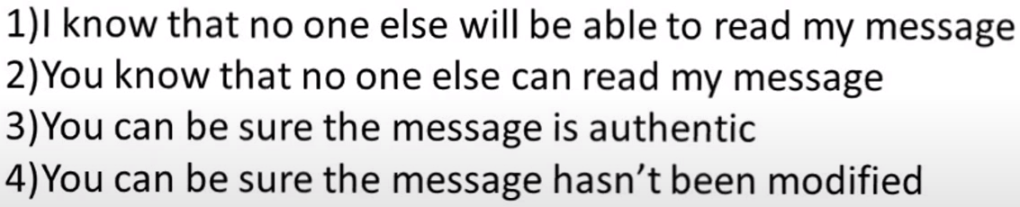
You can also encrypt a message with your private key and send it out and this means your message can be decrypted with your public key. The fact that it can be decrypted with your public key means that it must originally be encrypted by your private key so the message can be seen as authentic.
To get a more secure way, you can combine both your own private key and their public key to create a combined key. Then they use your public key and their private key to decrypt it. This way both parties can be sure that nobody can read the message and that it has not been modified by somebody else because it requires both keys to decrypt.
Hashing:
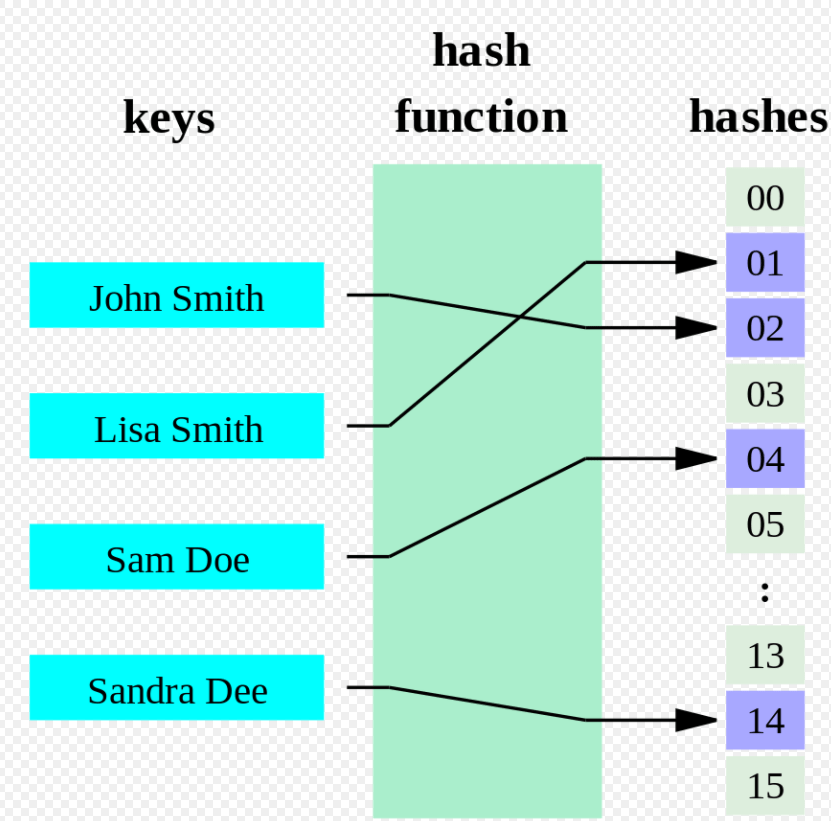
Hashing is a process used to transform a data item into something different.
It can be used as an encryption protocol or used to efficiently search and retrieve data quickly from a database.
Hashing is one way. Once you convert a data item into hash, unless you know the original data item, it is lost forever.
For example: 23+27=50
If we know 50, the original could have been 20+30 or 49+1 etc. so there are too many posibilities.
Uses:
- Quick way to generate disk addresses for storing data on a random access device.
- Storing and checking of passwords during logins.
Hashing with logins:
When you set a new password, it gets stored as a hash and the password is then deleted. When you type in a password to try and login, it converts your entered password into hash using the hashing algorithm and compares the two hashes. If they match, you gain access, if not, then you get denied.
 Computer Science Notes